
Why build a website with WordPress? Benefits and limits
Why build a website with WordPress? A practical reason is content management: your team can edit pages, publish posts and change images through an administration panel. It makes sense when that workflow fits your team and plugins, hosting and maintenance are planned clearly.
When WordPress suits a business
Consider it when you regularly update services, publish news, add references or involve several people in preparing content. An editor should be able to complete routine work without waiting for a developer for every change.
Bring three real editing tasks to the first conversation: changing a service description, adding a team member and publishing a news item, for example. Ask to see those tasks demonstrated instead of deciding solely on the homepage's appearance.
What editors get and what must be agreed separately
WordPress includes pages, posts, media, drafts and revisions. Themes control presentation and plugins extend functionality, as described in the official feature overview. The actual editing experience still depends on how the website is built.
| Task | What to check in the demonstration |
|---|---|
| Updating a service | Can the editor change text without disturbing important layout elements? |
| Adding a photograph | Who prepares dimensions, descriptions and file size? |
| Publishing in two languages | How are translations connected and who checks both versions? |
| Adding a reference | Is there a reusable content structure or must the layout be built each time? |
Multilingual publishing, custom content types and approval workflows should not be assumed to be included in every quote. Specify exactly what your team needs to do.
WordPress can support custom design and features
A WordPress website does not have to look like an off-the-shelf theme. A project can have a custom theme, blocks and plugins. Equally, buying a theme is not proof of a poor website: suitability, implementation and maintenance matter.
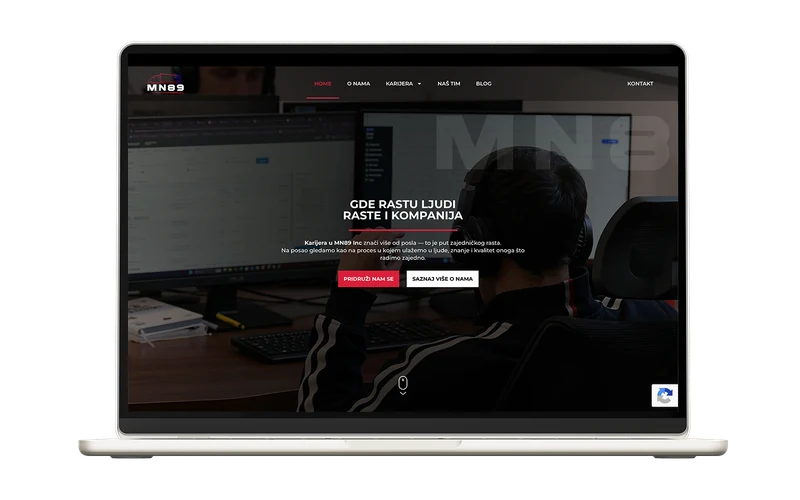
MN89 is a WordPress example in our portfolio. When evaluating your own project, examine both its public appearance and its editing workflow. Two visually similar sites may leave very different amounts of work for the editor.
An example service-page editing workflow
Illustrative task: an editor changes the service description and photograph, and a responsible person approves publication. The title, introduction, body and contact button have defined places. The mobile layout is checked before publication. Changing the page address is reviewed separately because it may require a redirect.
Request a short guide and training using your own content. WordPress has user roles with different permissions; a content editor does not automatically need administrator access to all settings.
Plugins and maintenance are part of the decision
For each important plugin, establish its purpose, charges, licence owner and who checks compatibility. Plugin count alone is not a sufficient quality measure: one poorly chosen component can cause more trouble than several appropriate ones.
The WordPress update documentation emphasises making a backup before changes. For a business website, also agree on checks of important functions after upgrades: forms, payments and content editing. Our website maintenance page explains support scope.
What WordPress means for SEO and total cost
A CMS and SEO plugin can make titles and other technical settings easier to manage. Useful content, accessible pages and meaningful internal links still need work. Do not choose a platform because someone promises it will automatically earn first place.
Free software does not mean a free project. Compare development, content preparation, hosting, selected licences and support over the same period. The WordPress website cost guide breaks down those items.
When another approach deserves consideration
If the project mainly performs a particular business workflow — a portal with complex approvals and several external systems, for example — compare a specific WordPress implementation with custom development. WordPress can also support such functionality; the question is whether the proposed solution is understandable, maintainable and appropriate for the budget.
For the direct technology comparison, read WordPress vs Next.js. To request a quote, prepare your editing tasks and review what our WordPress development service includes.
Ready for a concrete quote?
Fill in the form: tell us the project type and rough budget, and we reply with a realistic estimate within 24h.
Free estimate · No obligation · We deliver on the agreed deadline