
WordPress vs Next.js: which to choose?
WordPress or Next.js: the question asked by nearly every client who did some research before contacting us. The short answer: both are excellent, for different situations. We build with both (and more: we work in every technology), so we can compare without cheering for either side.
WordPress: the king of easy content management
WordPress powers over 40% of the web. Its greatest strength: you edit content yourself, no developer needed. Texts, images, blog posts, all through an intuitive panel.
- Ideal for: business websites, blogs, frequently updated sites, tighter budgets and shorter timelines.
- Pros: fast builds, a huge plugin ecosystem, easy upkeep, every next editor already knows it.
- Cons: slower than modern builds unless carefully optimised; needs regular security patching; complex features quickly hit plugin limits.
Next.js: performance and freedom without limits
Next.js is the modern React framework used by Netflix, TikTok and Nike. The site is pre-generated into static pages, so it loads practically instantly, and Google rewards speed directly with rankings.
- Ideal for: sites where speed and SEO are decisive, web applications, custom platforms, projects that will grow.
- Pros: top performance (Lighthouse 95+), complete design and feature freedom, security (no admin panel for bots to attack), scalability.
- Cons: content changes go through a developer unless a CMS is built in, which is extra work; the initial investment is higher.
Side-by-side
| WordPress | Next.js | |
|---|---|---|
| Speed | Good (with optimisation) | Outstanding |
| SEO potential | Very good | Maximum |
| Edit content yourself | Yes, easily | With a built-in CMS |
| Starting price | Lower | Higher |
| Security | Needs maintenance | High by design |
| Growth & custom features | Limited by plugins | No limits |
How we choose for clients
- How often do you change content? Every day → WordPress, or Next.js with a CMS. A few times a year → Next.js without a CMS is cheaper long term.
- How much does Google matter to you? If you live off organic traffic, Next.js speed is a measurable advantage.
- Where is the site going in 3 years? If you plan a store, bookings or an app, a Next.js foundation saves a future migration.
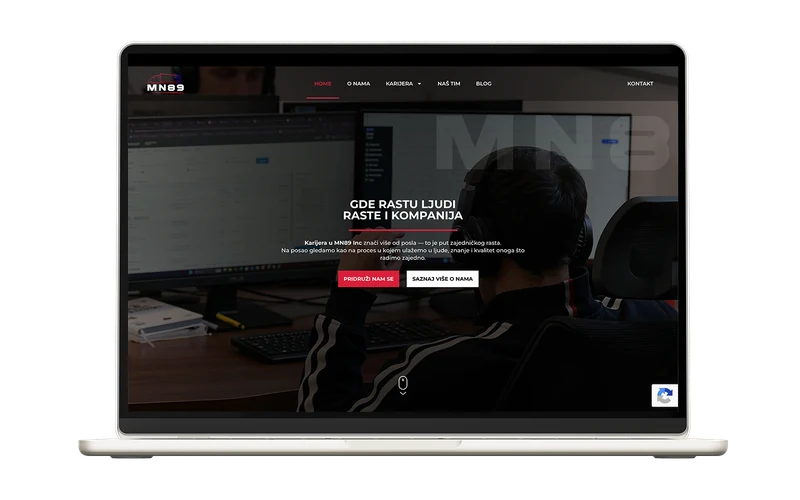
Our experience: for Planika we built a Next.js store with a custom CMS (the best of both worlds), and for MN89 WordPress, because it was crucial for the client to edit careers pages daily, on their own. The right tool for the right job.
The myth: "WordPress is free"
The WordPress software is free. A WordPress site is not. Real costs over time: a premium theme (from €50, one-off or yearly), plugins for speed, security and forms (another €100+ a year), and regular maintenance (without it the site slowly becomes sluggish and vulnerable). A Next.js site costs more up front, but afterwards: no licences, no paid plugins, minimal upkeep. For a site you plan to keep 5+ years the total cost tends to even out, or tip in favour of Next.js.
Five questions that settle the dilemma
- Who edits content, and how often? You, daily → WordPress (or Next.js + CMS). An agency / rarely → Next.js without a CMS.
- How much is a Google position worth to you? You live off search → Next.js speed is a measurable edge.
- What's the initial budget? Under €800 → WordPress is the rational pick. Above → weigh what pays off long term.
- Planning custom features? Bookings, calculators, portals → Next.js grows without plugin ceilings.
- Who maintains the site? Nobody in-house → factor in WordPress upkeep, or the "set and forget" advantage of static Next.js.
Bottom line
There is no "better" technology, only better for your situation. See what our WordPress development and Next.js development cover, or describe your project and you'll get an honest recommendation, even when that means the cheaper option.
Frequently asked questions.
Can a Next.js site have a blog I edit myself?
Yes, we build in a CMS (content management system) or connect an existing one, so you edit content as easily as in WordPress while keeping Next.js speed.
Can I move from WordPress to Next.js later?
You can. We do migrations without losing content or SEO positions (with proper 301 redirects). Still, choosing the right foundation up front is cheaper.
Which is better for an online store?
For smaller stores WooCommerce (WordPress) is perfectly sufficient. For larger catalogues, fast browsing and custom features, a Next.js e-commerce build is noticeably faster and more flexible.
Ready for a concrete quote?
Fill in the form: tell us the project type and rough budget, and we reply with a realistic estimate within 24h.
Free estimate · No obligation · We deliver on the agreed deadline